

Introduction
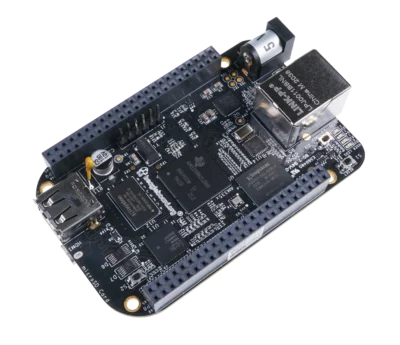
The BeagleBone Black (BBB) is a versatile embedded platform, but its stock Linux kernel isn’t optimized for hard real-time tasks (e.g., robotics, industrial control). By compiling and installing a Preempt-RT (Real-Time) patched kernel, you can achieve microsecond-level latency guarantees. This guide walks through cross-compiling and deploying the 6.6.87-bone-rt-r27 kernel on Debian 12.10.
Why a Real-Time Kernel?
- Preempt-RT Patch: Converts Linux into a hard real-time OS by minimizing non-interruptible code paths.
- Use Cases: Motor control, sensor fusion, high-speed data acquisition.
- Latency: Reduces worst-case latency from milliseconds to ~50μs on the BBB.
Prerequisites
- Hardware:
- BeagleBone Black (Rev C recommended).
- MicroSD card (8GB+).
- USB cable (for power/data).
- Software:
- Base Image: Debian 12.10 (2025-05-14).
- Host Machine: Ubuntu 22.04 (or any Linux distro with ARM cross-compiler).
Step 1: Prepare the BBB
- Flash the Debian image to the SD card:
- bb-imager-rs (recommended)
- balena Etcher (alternative)
- Boot the BBB from the SD card.
Step 2: Cross-Compile the Kernel
On your host machine:
-
Clone Robert Nelson’s build scripts (official BBB kernel maintainer):
Terminal window git clone https://github.com/RobertCNelson/bb-kernel.git kernelbuildscriptscd kernelbuildscripts -
Checkout the real-time kernel branch:
Terminal window git checkout 6.6.87-bone-rt-r27 -b rt-kernel -
Start the build (takes 20-60 minutes):
Terminal window ./build_kernel.sh -
Generated Artifacts (in
./deploy/):6.6.87-bone-rt-r27.zImage(compressed kernel).6.6.87-bone-rt-r27-dtbs.tar.gz(device trees).6.6.87-bone-rt-r27-modules.tar.gz(kernel modules).
Step 3: Install the Kernel on the BBB
-
Connect to the BBB via USB:
Terminal window ssh debian@192.168.7.2 # Password: temppwd(For macOS, use
192.168.6.2). -
Transfer Files from host to BBB:
Terminal window scp deploy/6.6.87-bone-rt-r27-* debian@192.168.7.2:/home/debian -
On the BBB:
- Install kernel modules:
Terminal window # 1. Create temporary extraction directorymkdir ~/kernel_temp# 2. Extract modules to temporary locationtar xvf 6.6.87-bone-rt-r27-modules.tar.gz -C ~/kernel_temp# 4. Safely move modules to /lib/modulessudo mv ~/kernel_temp/lib/modules/6.6.87-bone-rt-r27 /lib/modules/# 5. Cleanup temporary filesrm -rf ~/kernel_temp - Install the kernel image:
Terminal window sudo cp 6.6.87-bone-rt-r27.zImage /boot/vmlinuz-6.6.87-bone-rt-r27 - Install device trees:
Terminal window sudo tar xvf 6.6.87-bone-rt-r27-dtbs.tar.gz -C /boot/dtbs/ - Copy kernel config:
Terminal window sudo cp config-6.6.87-bone-rt-r27 /boot/
- Install kernel modules:
-
Generate initramfs:
Terminal window sudo update-initramfs -uk 6.6.87-bone-rt-r27 -
Update U-Boot to load the new kernel:
Terminal window sudo nano /boot/uEnv.txtAdd/modify:
uname_r=6.6.87-bone-rt-r27
Step 4: Reboot and Verify
- Reboot the BBB:
Terminal window sudo reboot - Confirm the real-time kernel is active:
Terminal window uname -r # Should show "6.6.87-bone-rt-r27" - Test real-time capabilities:
Terminal window sudo cyclictest -t1 -p80 -n -i 10000 -l 10000
Troubleshooting
- Boot Failure: Revert by selecting the old kernel in
uEnv.txt. - Missing Modules: Ensure modules are in
/lib/modules/6.6.87-bone-rt-r27/. - High Latency: Disable CPU frequency scaling:
Terminal window sudo cpufreq-set -g performance
Conclusion
You now have a real-time kernel running on your BeagleBone Black! This unlocks deterministic performance for time-sensitive applications. For production systems, consider:
- Tuning the kernel via
/sys/kernel/realtime. - Using hardware-assisted PWM/PRU cores for nanosecond precision.